Since the last update, `-d` has been renamed to `-o/--onto`, the
local backend has been renamed to the simple backend, and colocation is
enabled by default.
These two are the last commands which don't support logical operators in string
patterns. The old <kind>:<name>@<remote> syntax had various problems including:
1. substring patterns look weird (e.g. `substring:x@y` means `*x*@*y*`)
2. cannot express "all but <name> for all remotes" (e.g. `(~gh-pages)@(*)`)
In addition to that, the revset parser doesn't support `<name>@<remote>`
prefixed by `<kind>:`.
This patch introduces separate --remote argument to address these problems. The
default is `glob:*` (or `~git`), so we wouldn't have to specify the remote in
many cases. One caveat is that `jj bookmark track` is not idempotent if there
are multiple remotes:
# there are two remotes: origin and upstream,
# and only foo@origin exists
$ jj bookmark track foo
# tracks foo@origin and creates new local bookmark foo
$ jj bookmark track foo
# tracks absent foo@upstream as we now have a local bookmark
This is wild. We might want to add a flag or a new command to track absent
remote bookmarks to push.
"Unmatched names" warnings are now emitted for bookmark and remote names
separately. To keep the implementation simple, the search space isn't restricted
by the other parameter. For example, "jj bookmark track foo --remote=bar" won't
show a warning if "foo" exists locally or in any remote.
Closes#4260
New users (especially ones unfamiliar with CLI programs) intuitively
expect `jj undo` to work the same way the "undo" functionality of
typical GUI applications do. That means, running `jj undo` multiple
times should restore progressively older states of the repository
one-by-one.

Related feature request "jj undo ergonomics":
https://github.com/jj-vcs/jj/issues/3700
This paves the way for the semantics of `jj undo` and `jj op revert` to
evolve independently. `jj op revert` is going to stay the low-level
command to apply the inverse of any operation. The new name is
consistent with `jj revert`, which applies the inverse of a commit.

`jj undo` on the other hand is planned to become a higher-level command,
which is more similar to, say, Ctrl+Z in typical GUI applications.
Running `jj undo` repeatedly will revert progressively older operations,
allowing the user to walk backwards in time. At the same time, `jj undo`
will lose the abilitly to revert arbitrary operations, to keep its
semantics simple and intuitive.

Related feature request "jj undo ergonomics":
https://github.com/jj-vcs/jj/issues/3700
With this template, a 'git format-patch' compatible
email message can be generated using something like:

jj show --git --template git_format_patch_email_headers <rev>
It is important to mention tracking branches and listing branches. This topic is important now that `jj log` does not show branches
`jj git clone` says it fetched by default.

The demo has become more about navigating a Git remote, so I reworded
the README accordingly, shifting the focus more to "Git remote
compatibility" and away from "We include a Git repo". Both are
important, but these skills seem important for beginners.
This updates demos to the point where they can run without
warnings. Some of them become less clear, this is addressed
(where I noticed it) in follow-up commits.
Fixes#3209
Currently, there is no way provided to merely run scripts in
a fixed environment (without recording).

Short-term TODOs (done in descendant commits):
  - Fix the terminal width
  - Document the script
`jj | head` exits with non-zero code since `head` breaks the
pipe. Also, removed `--color=always` from that command as it
will shortly become unnecessary.

Previosly, this caused the script to stop since it's run with
`set -o pipefail`.

Also, the operation id recovery code stopped working. We
can use `jj debug operation` for this purpose now.
I think it's clearer if only the actual demos started with `demo_`,
so I renamed `demo_helpers.sh` to just `helpers.sh`.

`demo_resolve_conflict.sh` should match `resolve_conflicts.png` (with an s).
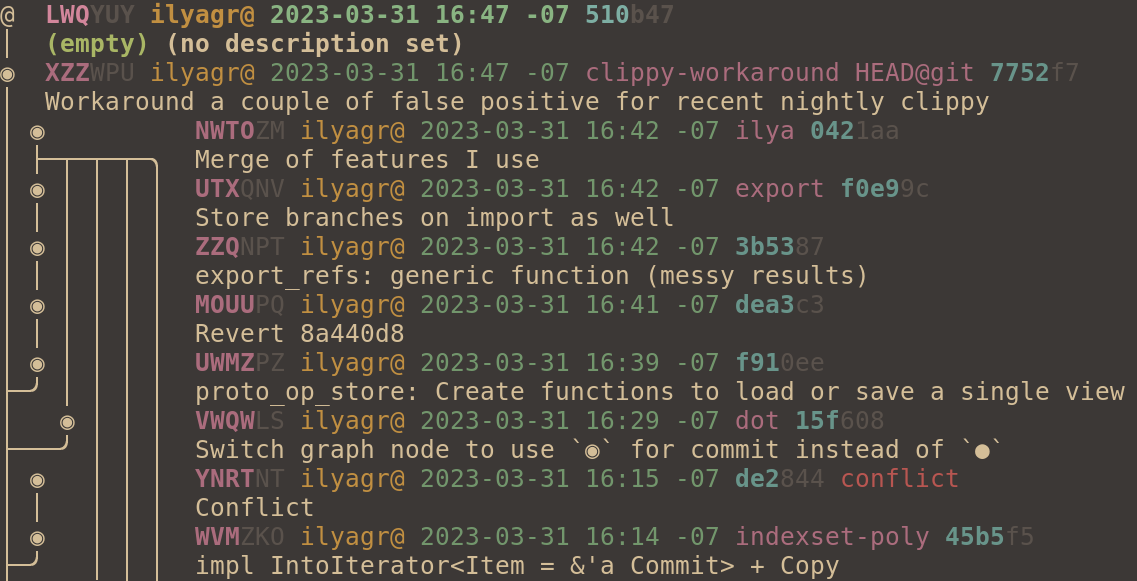
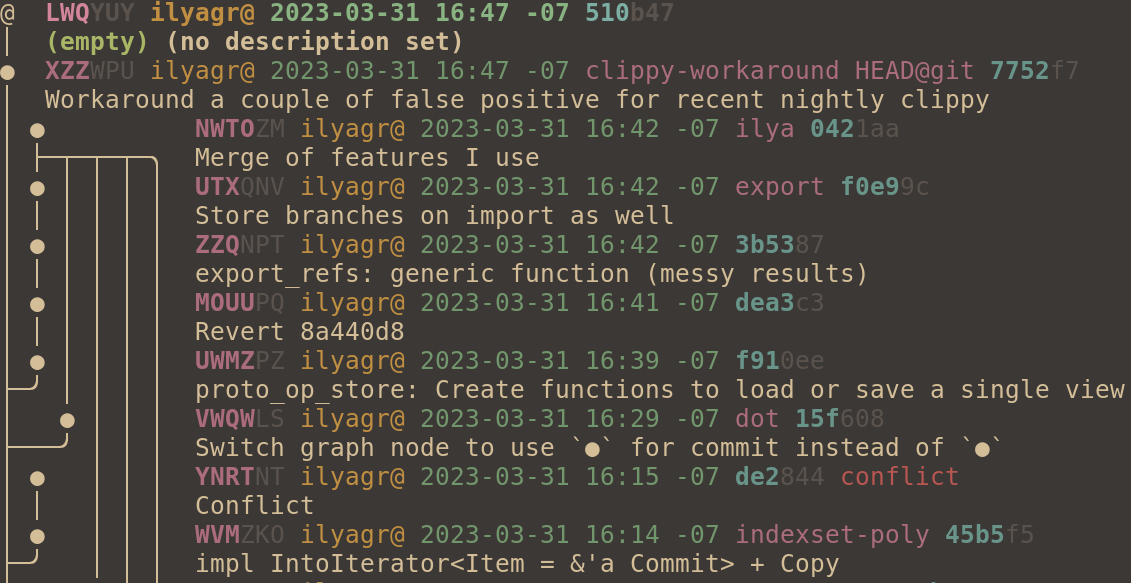
@joyously found `o` confusing because it's a valid change id prefix. I
don't have much preference, but `●` seems fine. The "ascii",
"ascii-large", and "legacy" graph styles still use "o".

I didn't change `@` since it seems useful to have that match the
symbol used on the CLI. I don't think we want to have users do
something like `jj co ◎-`.
The command grepped for 'o ' and picked the third line. That was meant
to match the graph nodes only, but it also matched the 'jj co master'
line. Let's match only 'o' at the beginning of the line, and throw in
another space for good measure (since that's what we get from the new
default graph style from Sapling).
We have talked about showing the commit ID only for divergent changes
because it's generally easier to work with the change ID, and it's
less likely to result in a divergent change. However, it's useful to
have the commit ID available for pasting into e.g. a commit message or
the GitHub UI. To try to steer users towards using the change ID, this
commit moves the commit ID off to the right in the log output.

I put it just after the "divergent" field, because that makes it close
to how I imagine it would look if we decided to hide the commit ID
except for divergent changes. I was thinking that could be rendered as
"divergent (abc123)". So if we add config to hide the commit ID, then
it would be rendered almost the same for divergent commits (just with
the added parentheses). It would also make sense to replace the
"divergent" field by a question mark on the change ID, since change
IDs basically behave like branches. If we do that, then the placement
of the commit ID I picked in this commit does not make sense.
The demos don't need to be animated - the user wouldn't miss anything
if they skipped to the end. So let's just show the full output so the
user can read through it at their own pace. We could use plain text,
but I think the colors are helpful, so I went with screenshots.
Closes#166.
The default log output of showing all commits is not very useful when
contributing to an existing repo. Let's have it default to showing
commits not on any remote branch instead. I think that's the best we
can do since we don't have a configurable main branch yet, and we
don't even have per-repo configuration..
Closes#250.
It can take quite a while to record a demo. This patch adds a `--fast`
flag for reducing delays to a tenth of the usual. You can play the
recording with `asciinema play -s 0.1` to get close-to-normal speed
(except that command delays will be slower). That way you can adjust
timings with shorter round-trips.